
Our files are scattered across laptops and USB sticks: how to store business files securely
⏱ In about 9 minutes

Affiliate disclosure: Some links on this page are affiliate links. If you buy through them, we may earn a commission at no extra cost to you. Commissions may influence which products we choose to cover, but not our assessment of them. Read the full disclosure.
In this article
The short answer
Short answer
This is one of the most common small business set-ups, and it's very fixable. Give your team one secure home for business files, protect it with MFA and sensible sharing permissions, and keep a separate backup you've tested.
If your email or office suite already includes cloud storage, start there; you may already have what you need. If you'd like files encrypted so that only your team and the people you share with can open them, Proton Drive for Business is a good option to look at.
What the official guidance says
The Australian Cyber Security Centre (ACSC) small business handbook is encouraging and practical here:
- Bring files together. "Where possible, store your business data in a central location that is secure and backed up regularly." It adds a helpful caution: centralising "can create a bigger breach if your systems are compromised", so protect that location "with secure configurations and restricted access." (ACSC, Protecting business & customer data)
- Cloud services are a good fit for small teams. "For many small businesses, reputable cloud services provide stronger security than self-hosted systems." The ACSC suggests trusted cloud providers for "email, file storage and collaboration", with MFA turned on and admin access reviewed regularly. (ACSC, Protecting devices, systems and networks)
- Swap USB sticks for cloud sharing. USB drives "are easy to lose, steal or infect with malware". Instead, "use secure methods of file transfer such as cloud storage from a reputable provider." (ACSC, Remote working security)
- Keep backups, and check they work. The ACSC suggests backing up important information regularly "and test that you can restore it if needed." (ACSC, Small business cyber security handbook)
What to look for in business cloud storage
| What to check | Why it helps |
|---|---|
| MFA for every user | The ACSC recommends MFA on cloud services, so a stolen password alone can't open your files |
| Admin console | Add new staff, remove leavers and review who has access from one place |
| Sharing controls | Links with passwords and expiry dates, and the option to cancel a share later |
| Encryption | The ACSC suggests checking data "is encrypted when transmitted" and considering "file level encryption for added protection"; end-to-end encrypted storage goes a step further |
| Where data is stored | Helpful if your clients or industry ask where files are kept |
| Apps for every device | Staff can reach files from a browser, desktop or phone |
| A trial | Test it with a few real folders before moving everything |
Cloud storage and backup: a friendly reminder
Cloud storage gives your team one place to work, which is a big step forward. A backup is a separate copy you can restore from. If a file is deleted or changed by mistake on a synced device, that change can sync too, so it's worth having both. The ACSC suggests a simple backup plan that answers: "What data is or is not backed up? When do backups occur? Where are the backups stored? Who is responsible for managing the backups? How long are the backups kept for? How often are the backups tested?" It also reminds you to include "information held in your email or cloud accounts." (ACSC, Protecting devices, systems and networks)
Fix it: step by step
The time guides are rough, for a team of about 5–20 people.
Step 1: List where your files live today (30 minutes)
Laptops, USB sticks, email attachments, personal cloud accounts, an old office drive. The ACSC calls this understanding "what data they hold and how it is protected." (ACSC)
Step 2: Choose one home for business files (1 hour)
Check what your current email or office plan already includes. If you want end-to-end encryption or a stand-alone option, see the quick pick below.
Step 3: Set up folders and permissions (1 hour)
Create a few simple top-level folders (for example Clients, Finance, Admin) and give each person access to what they need. The ACSC suggests restricting access so staff "can only view or modify the personal data they need to perform their role." (ACSC)
Step 4: Turn on MFA for everyone (30 minutes)
Our two-step login guide walks you through it.
Step 5: Move files across and retire the USB sticks (a few hours, spread over a week)
Move one folder at a time, so nobody loses track of anything. Share with clients using links instead of attachments where you can.
Step 6: Set up a separate backup and test a restore (1–2 hours)
Write down your backup plan using the ACSC questions above, then try restoring one file to make sure it works. Our 10-step cybersecurity checklist covers backups too.
Step 7: Add storage to your joiner and leaver steps (ongoing)
Give new staff access on day one and remove leavers on their last day. See removing access when someone leaves.
Quick pick
Quick pick: secure cloud storage for small teams (product details from Proton's official pages, checked 20 Oct 2026. Not hands-on tested. No ratings. Confirm prices and features on the vendor's site.)
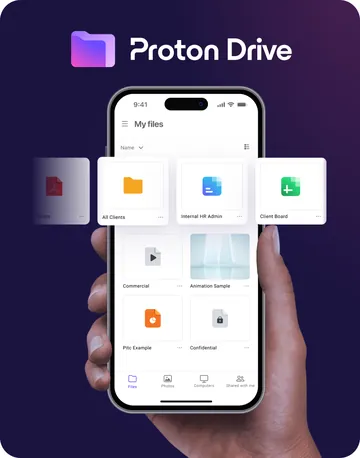
 If you want end-to-end encrypted file storage: Proton Drive for Business. Drive Professional lists 1 TB of storage per user, cloud storage and file sharing, a document and spreadsheet editor, and a command-line tool for automated server backups. Proton says only you and the people you choose can open your files, that shared links can have passwords and expiry dates, and that access can be revoked at any time. It also says Proton Drive is ISO 27001 certified and SOC 2 Type II attested, with data stored on servers in Switzerland or Germany. Listed at US$7.99 per user/month (billed US$95.88 every 12 months) on a discounted rate when we checked, 20 Oct 2026. 14-day free trial and 30-day money-back guarantee. → See Proton Drive
- If you'd like email, calendar, VPN and a password manager in the same place: Proton Workspace Standard. Includes 1 TB storage per user plus secure email and calendar, video meetings, a VPN and a password manager with shared team vaults. Listed at US$12.99 per user/month (billed US$155.88 every 12 months) on a discounted rate when we checked, 20 Oct 2026. → See Proton Drive plans
Already have storage in your email or office plan? That's a perfectly good place to start. See all our quick picks.
Honest limits
Free: the Small Business Password & Access Checklist
A 1–2 page checklist that turns this article into a to-do list: which accounts to protect first, how to set up shared access, and what to do when someone joins or leaves.
You only get emails if you tick the consent box. Unsubscribe any time. See our privacy policy.
Frequently asked questions
Is cloud storage safe for business files?
For most small teams, yes. The ACSC says reputable cloud services often provide "stronger security than self-hosted systems". Turn on MFA and review who has access regularly.
What does end-to-end encryption mean for our files?
Proton describes it like this: end-to-end encryption ensures "only you and the people you choose can gain access", and "not even Proton can see your files." (Proton Drive for Business)
Is cloud storage the same as a backup?
Not quite. Cloud storage is where your team works on files; a backup is a separate copy you can restore from. It's best to have both.
Can we share files with clients who don't use the same service?
Usually, yes. Proton says Proton Drive lets you share with people who don't have a Proton account, with optional passwords and expiry dates on links.
Related guides
- Cybersecurity tools
- 10-step basic cybersecurity checklist
- My team works from cafés and home Wi-Fi: is public Wi-Fi safe for business work?
- Does my small business need a VPN? A plain-English guide to business VPNs
Sources
Government bodies first. All links checked and loading on 20 Oct 2026.
- Australian Cyber Security Centre: Small business cyber security handbook · Protecting business & customer data · Protecting devices, systems and networks · Remote working security
- Vendor pages (checked 20 Oct 2026): Proton Drive for Business · Proton Drive business pricing · Proton for Business plans
About our review process
We pick products from official information and say clearly when we haven't tested something hands-on. Commissions may influence which products we choose to cover, but not our assessment of them. See how we work.